Why Does a Slot Button Sometimes Not Respond Right Away?
You tap Spin, but nothing seems to happen. For a moment, the button may look unchanged, the reels may stay still, or the game may appear to ignore you. That pause can feel like a malfunction, but it can have several explanations: the game may be processing a previous action, waiting for a network response, loading an animation, or temporarily preventing another input.
Understanding the difference between those possibilities helps make a delay less mysterious. A slot game is not just a picture with a button on it. It is an interactive product that connects a game provider’s software with an operator’s website or app, a player account system, and the device and network being used. Each part can affect input handling, loading behavior, and overall UI responsiveness.
First, distinguish a delay from a game rule
A useful starting point is to separate what the game’s rules say from what its visuals suggest. The rules determine how a round works: for example, when a spin can begin, what happens during a feature, and whether certain actions are temporarily unavailable. The art and animation show those events on screen, but they do not necessarily explain the technical reason for a pause.
A reel animation that seems to be “thinking” is not evidence that the game is predicting or choosing a result at that moment. Likewise, a celebratory animation, dramatic pause, or sound effect does not predict a future win. Those are presentation elements. The game’s rules and technical behavior are separate from the impression created by its visuals.

Sometimes the button is deliberately unavailable for a short period. A game may need to finish processing the current round before accepting another spin, or it may prevent a second tap from starting an unintended action. The interface might also disable controls while a feature, transition, or confirmation is underway. Whether a particular control is enabled, and when, depends on that game’s design and rules.
Who is responsible: the operator or the provider?
The terms operator and provider describe different roles. An operator runs the casino service where a player browses games and manages an account. MrQ, for example, is an operator brand. A game provider creates and supplies games; Pragmatic Play and Games Global are examples of companies associated with game content and distribution.
That distinction matters when diagnosing a delay. The provider’s game software handles much of the game’s own interface and response to input. The operator’s site or app handles the surrounding experience: access to the game, navigation, account-related functions, and the way games are presented. A player account system may also be involved in account checks or transaction-related processes, though the precise responsibilities vary by operator and integration.
Neither role should automatically be blamed. A button that does not respond immediately could reflect a game-level restriction, the operator’s page or app, a slow connection, device performance, or a combination. A visual delay alone usually does not reveal which component is responsible.
Part of the experience Typical role What a player might notice Game provider Creates the game software, rules presentation, controls, and animations A control may be unavailable during a game event or the game may take time to render Operator Runs the casino website or app and presents its game catalogue The casino page, game launch, or navigation may load slowly Player account system Supports account access and related services within the operator’s environment A sign-in, session, or account-related step may need attention Device and network Loads and runs the experience on the player’s hardware and connection Lag, stalled assets, or delayed responses may occur across the site or game
Why a multi-provider casino catalogue can feel inconsistent
An online casino catalogue may bring together games from many providers. That gives players a broad selection, but it also means the games do not necessarily share identical controls, loading sequences, or animation timing. One title may show a brief transition before accepting another input; another may return control more quickly. Differences do not, by themselves, indicate that one game is broken or that another is more reliable.
The operator has a separate challenge: making a collection of different products feel like one casino. It may organize titles in a common catalogue, apply shared navigation, and present consistent account access, while each game retains its own interface and visual identity. The result is a layered experience. A player can move from an operator’s lobby into a provider’s game and encounter a different button layout, pacing, or response style.
This is why the same device can behave differently across games. If only one title is slow, that may point toward something specific to the game, its assets, or how it is being loaded. If the whole casino site is lagging—including menus or account pages—the issue may be broader. These are clues, not definitive diagnoses.
Loading behavior: what may be happening behind the button
Before the reels move, the game may have to load or prepare visual and interactive elements. Depending on the device and how the game is delivered, that can involve retrieving resources, setting up the game screen, or waiting for the current game state to be ready. A slow or unstable connection can make these steps take longer. Older devices or many open apps and browser tabs can also affect how quickly an interface responds.
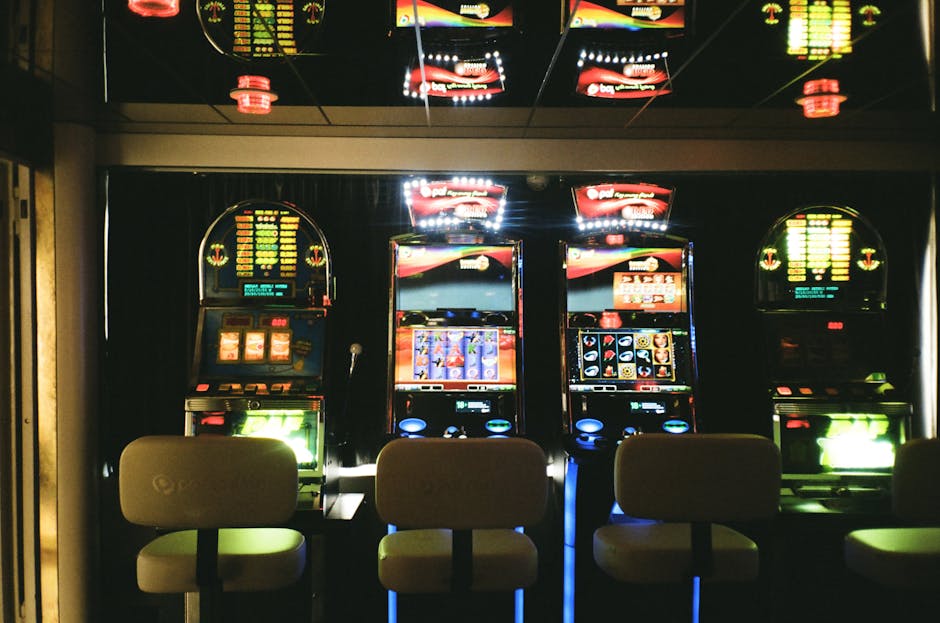
There can be a difference between a control that has not registered and one whose result is taking time to appear. A tap might be accepted, while the visible animation starts a moment later. Conversely, the button may be disabled until the licensed slot providers UK game has finished its current sequence. Repeatedly tapping during that uncertainty can make the situation harder to read: the game may receive multiple inputs, ignore extra taps, or respond in a way that feels inconsistent.
Some interfaces signal that work is underway with a changed button state, a loading indicator, or a transition. Others provide less obvious feedback. Clear feedback matters because a short delay feels longer when the interface gives no indication that it has registered the action. That is a UI responsiveness issue: not only how quickly the software reacts, but how clearly it communicates that reaction.
Common reasons for a brief delay
- A previous action is still processing: The game may be completing a spin, feature, or transition before accepting another command.
- The game is still loading: Initial launch or a return to the game can require assets or interface elements to become ready.
- The connection is unstable: A weak or interrupted connection can delay communication between parts of the experience.
- The device is under load: Limited memory, an older device, or other demanding apps can affect animation and touch response.
- The control is intentionally unavailable: The game may disable an input during a defined part of its flow.
- The tap did not land as intended: A small touch target, screen scaling, or accidental contact near the control can make input harder to register.
Art direction and visual cohesion are part of usability
Art direction is often discussed in terms of theme, but it also affects whether a game feels easy to use. Button contrast, text size, spacing, and the separation between controls can all influence how quickly a player understands the interface. A bright, detailed background may suit the game’s style, yet the main action still needs to stand out clearly from decorative elements.
Visual cohesion is also more than matching colors. The buttons, labels, transitions, and feedback should feel like parts of the same design system. If a control changes appearance when pressed, becomes disabled during a sequence, or shows a loading state, those changes should be legible. When feedback is subtle or crowded by other visual effects, a player may interpret a registered input as a missed tap.
In a multi-provider online casino catalogue, operators and providers are working with different visual systems. The operator may create a consistent lobby, while individual games bring their own typography, symbols, layouts, and animation style. That shift is normal, but it can require a moment of adjustment. A control that sits in one location in one title may be arranged differently in the next.
Animation is a cross-team collaboration
Animation is not just decoration added after the game’s interaction is complete. It has to fit the sequence of events, the timing of controls, and the feedback a player receives. The game needs to show what has happened without making the interface feel unresponsive. That calls for coordination among people working on game logic, interface design, art, animation, and software implementation.
The work can also meet the operator’s presentation layer. A provider’s game has its own visual and technical requirements, while the operator needs to launch and display it within a broader service. On a site featuring content from companies such as Pragmatic Play and Games Global, the casino’s catalogue and navigation have to accommodate distinct games without making them appear to be one shared product. The operator and providers have different responsibilities, even when their work comes together in one player experience.
Good animation communicates state. It can make clear that a round is in progress or that a feature is unfolding. But animation also takes time to play, and its timing must be reconciled with when inputs are available. If the visuals continue while the controls are already active—or the controls remain unavailable after the visuals appear finished—the experience can feel out of sync. This is a presentation and interaction problem, not evidence that the game’s result is being determined by the animation.
What to do when a button seems stuck
- Wait briefly and check for a state change. Look for a disabled button, progress indicator, transition, or other sign that the game is still working.
- Avoid rapid repeated taps. One deliberate input is easier to interpret than a series of taps while the interface is delayed.
- Check whether the rest of the casino responds. If menus and other pages also lag, the issue may not be limited to that game.
- Check the connection and device. If practical, close unnecessary apps or tabs and see whether the connection is stable.
- Reload only when appropriate. If a game remains unresponsive, follow the operator’s help guidance rather than assuming a refresh is always harmless. Keep track of what was on screen before taking action.
- Contact the operator if the problem continues. The operator can direct the query through its support process and may ask for the game name, device, time, and a description of what happened.
If the concern involves an account, a transaction, or a round whose status is unclear, use the operator’s support channel and provide factual details. Do not assume a delayed visual response tells you whether a particular action was completed. Follow the operator’s instructions for checking the relevant account or game information.
Bottom line
A slot button may not respond right away because the game is processing an action, loading, waiting through a designed sequence, or struggling with network or device conditions. The operator, provider, player account system, and device each occupy different parts of the experience, so a pause does not identify the cause on its own.
The most useful distinction is between rules, interface behavior, and visual presentation. Rules determine what actions are available; the interface communicates whether an input is accepted; animation presents what is happening on screen. When those layers are well coordinated, input handling feels clear and UI responsiveness feels dependable—even when a brief wait is necessary.
