How Do We Store Exported CCTV Clips Securely in a Clinic?
Clinic environments rely increasingly on CCTV systems to enhance safety, reduce liability risks, and improve operational compliance. Yet the power of video footage comes with serious responsibilities—from protecting patient privacy to managing sensitive data securely. Exported CCTV clips, especially, need careful handling to avoid over-collection, data leaks, or unauthorized access.
Having spent over a decade managing busy multi-provider clinics, I know firsthand how crucial it is to design workflows that are practical for staff yet meet legal and ethical standards for privacy. In this post, we'll explore best practices for securely storing exported CCTV footage in clinics, focusing on tools like Gallio PRO for on-premises redaction, role-based user accounts, and key principles such as data minimization and purpose-driven camera placement.
Why Secure Storage of Exported Footage Matters
Exporting CCTV footage is often necessary—whether for incident investigations, quality audits, or compliance. However, exported clips represent copies of sensitive data that no longer reside in the controlled environment of the CCTV system itself. This creates additional risks:
- Unrestricted sharing: Exported files can be easily copied, sent, or misplaced.
- Data retention creep: Clips saved "just in case" indefinitely increase exposure risk.
- Privacy breaches: Footage can contain unintended personal information like faces, badges, or paperwork.
- Unauthorized access: Using shared passwords or generic accounts undermines accountability.
By implementing secure workflows to control export, redaction, storage, and access, clinics can protect patients, staff, and themselves.

Data Minimization: The Foundation of Privacy-Safe CCTV
All CCTV policies must align first with data minimization: collecting and storing only the data strictly necessary for a clear, documented purpose.
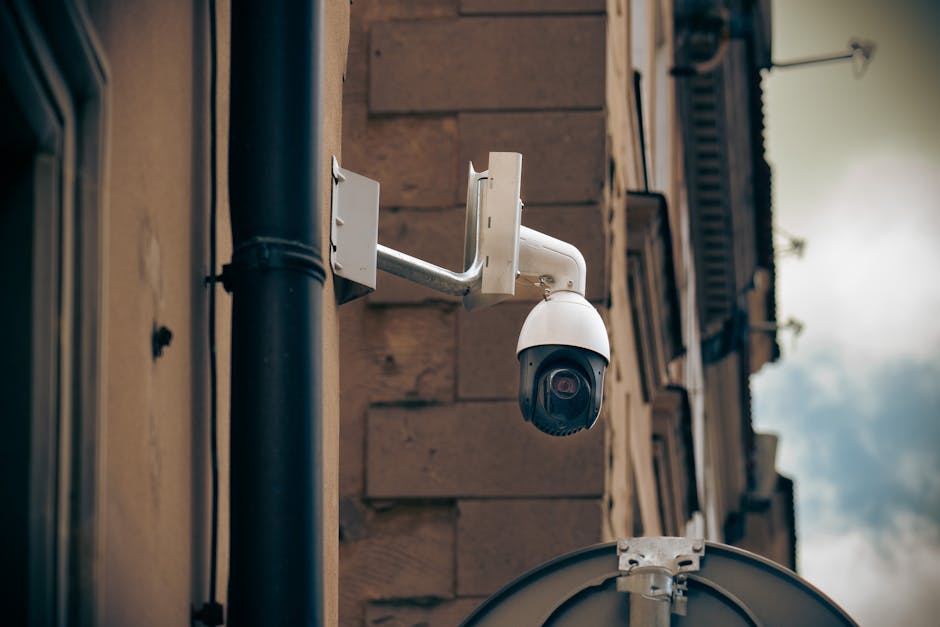
Purpose-First Camera Justification
Every camera should have a specific, documented reason for being installed. Examples include:
- Securing entrances/exits against unauthorized access
- Monitoring reception cash drawers (labeled as "cash drawer angle")
- Capturing patient flow for operational improvements
Purpose-driven placement avoids "over-collection"—cameras filming areas or activities unrelated to clinic operations, such as private workstations or exam rooms.
Camera Placement and Field-of-View Reviews
How a camera is positioned matters as much as having it in the right location:
- Avoid aiming cameras directly at computer monitors or paperwork, which can capture PHI or other sensitive information inadvertently.
- Minimize field of view to cover only the target zone, using lens adjustments, privacy zones, or physical barriers.
- Conduct regular "field-of-view reviews" and document findings to confirm compliance with stated purposes.
This process reduces unnecessary image capture, forming the first step in reducing privacy risks before footage is even exported.
Limit Downloads: Why Not Export More Footage Than Needed?
The easiest way to limit risk is to avoid exporting footage unnecessarily.
Consider these principles:
- Incident-driven exports only: Export footage only when investigating a specific documented incident or fulfilling a legal request.
- Smallest necessary clip: Export only the time frame and camera angle needed to address the event.
- Pre-export review: Perform an initial scene review on the CCTV system or a secure viewing station to identify exactly what to export, preventing "just in case" bulk downloads.
By limiting exports this way, clinics reduce storage overhead and protect privacy.
Using Gallio PRO for On-Premises Visual Redaction
Once footage is exported, it often contains identifiable information—faces, staff badges, or patient documents—that must be anonymized before wider sharing or long-term storage.
Gallio PRO is an excellent on-premises solution for visual redaction. Its key benefits include:
- Fast, automated detection and anonymization of faces, license plates, and other sensitive elements.
- Role-specific redaction options configurable per clinic policy.
- No cloud upload required—keeping patient data off third-party servers and reducing breach risks.
- Exporting clips with permanent redactions embedded, so privacy is maintained wherever the file travels.
Integrating Gallio PRO into your export workflow ensures that only compliant, privacy-safe footage is stored or shared.
Access Control and Approvals: Role-Based User Accounts Over Shared Passwords
One of the biggest operational risks I’ve seen is shared passwords or generic "front desk" accounts for accessing CCTV systems and footage.
Why avoid shared accounts?
- Accountability: Without named users, it is impossible to trace who accessed, exported, or deleted footage.
- Security: Shared passwords tend to be weak and widely known across staff.
- Access control: No way to tailor permissions, e.g., allowing front desk staff only view access without export rights.
Instead, implement role-based CCTV user accounts with named users tied to staff identities. Best practices include:
- Assigning access levels by job role (e.g., clinic manager, security officer, reception)
- Requiring strong passwords and regular rotation
- Using multifactor authentication where possible
- Logging all activity — every login, export, or view action recorded with username and timestamp
- Implementing a formal approval process for exporting footage, with documented justification filed alongside exported files
This approach strengthens security, supports compliance audits, and instills trust within the clinic and amongst patients.
Establishing Secure Storage Protocols Inside the Clinic
Exported CCTV clips must be placed in controlled, encrypted storage with explicit retention limits.
Key elements of secure storage:
Practice Description Benefit Encrypted folder on local server Store clips in a password-protected, encrypted directory separate from general files Prevents unauthorized folder browsing or copying Role-based access to storage Only authorized roles can open or copy from the storage location Limits exposure internally Centralized log of exports and storage uploads Track who exported footage, the purpose, and where stored Audit trail for compliance and incident review Automated secure deletion Set retention schedules (e.g., 30 days post-incident) with automated deletion reminders or scripts Prevents indefinite retention and reduces data risk
Example Workflow for Exported Clip Handling:
- Incident identified: Document purpose and required camera/time segments
- User exports minimal clips: Using role-based credentials
- Apply Gallio PRO redaction: Remove all unnecessary identifiers
- Upload redacted clips: To a secure encrypted folder with restricted access
- Log export details: Who, when, why, and file location
- Schedule automatic deletion: Based on retention policy
- Periodic review: Management inspects logs and folder contents for compliance
Final Thoughts
Securely storing exported CCTV clips in clinics is both a technical and cultural challenge. It requires the right tools, strict policies, and ongoing staff training. Use data minimization to focus footage collection and exports only on clear purposes, place cameras thoughtfully to avoid over-collection, and employ technologies like Gallio PRO for redaction.
Equally important, ditch shared CCTV passwords and switch to role-based named user accounts. Couple this with documented approval workflows and strictly controlled encrypted storage that supports audit trails and retention limits.
When these best practices are embedded into day-to-day operations, clinics protect patients’ privacy securitysenses.com without adding burdensome steps for busy frontline staff.
What incident are you trying to solve with your exported footage? Keeping that question front and center will help ensure your CCTV system serves your clinic safely and compliantly.
